

PROMPT MANAGER
The prompt manager for teams who need control, not lists
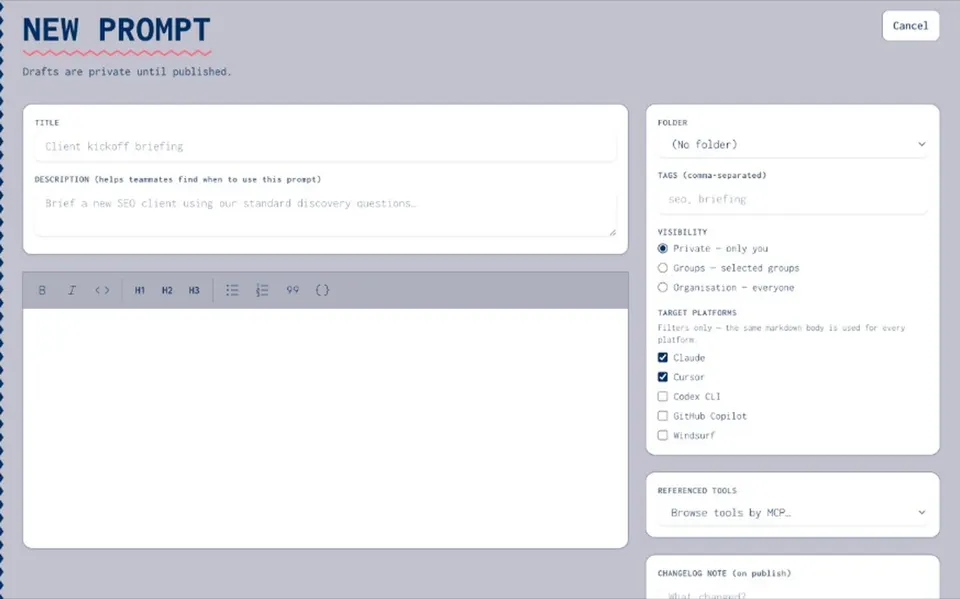
Buyers searching for a prompt manager usually want software for the organisation: create prompts, organise them in folders, set ownership, and reuse them in agents. Joyst is that prompt manager — prompt software for teams under org control. It is not a prompt-engineering course and not a public prompt hub.
FOR ORGANISATIONS
What a prompt manager does for organisations
- Create and organise
Write prompts in one place and file them in folders with clear owners. You stop hunting Slack threads for the good version.
- Permissions and ownership
View / use / manage rights so drafts stay editable by the right people and published prompts are deliberate.
- Reuse inside agents
Approved prompts feed agent packages and travel across AI apps. Keep API keys in the secrets vault — never in prompt text.
WHAT YOU CAN DO
Prompt software vs prompt lists
- Org prompt manager
Create, organise, permission, and reuse. The job is operational control — not collecting free prompt ideas.
- Software, not a listicle
Prompt software for teams means folders, ownership, and reuse in agents. A prompt list is a page of ideas with no org control.
- Share without Slack paste
Share at private, group, or org level so new hires land on approved prompts instead of yesterday's paste.
- Governance when you need it
Publish rights and audit sit under AI governance when security cares who can change live wording.
BESIDE THE MANAGER
Tied to the team library and versioning
- Sits on the team prompt library
The prompt manager sits on your team prompt library under prompt management. Storage and the create/organise workflow are sibling jobs — not the same page.
- Versioning beside the library
When wording needs a change log, prompt versioning sits beside the library — draft, publish, and roll back without losing the approved copy.
- Open the siblings
See the dedicated team prompt library and prompt versioning pages for shared storage and history — the sibling jobs to the prompt manager.
Team prompt library
Team prompt libraryPrompt versioning
Prompt versioningAgents
AgentsSecrets vault
Secrets vaultAI governance
AI governancePrompt manager FAQ
Look for org control: folders, ownership, permissions, versioning, and reuse in agents — not a public list of prompts.
The manager is the create/organise/permission workflow. The team library is the shared storage those prompts live in. In Joyst they sit together under prompt management.
No. It is prompt software for organisations — operational control of the prompts your team already uses.
No. Private org catalogue only.
No. Joyst is the private team catalogue for skills, prompts, MCPs, secrets, and agents — beside a developer portal, not instead of one.