

MANAGE SKILLS ACROSS AI TOOLS
Manage skills across AI tools — one registry, not forks per vendor
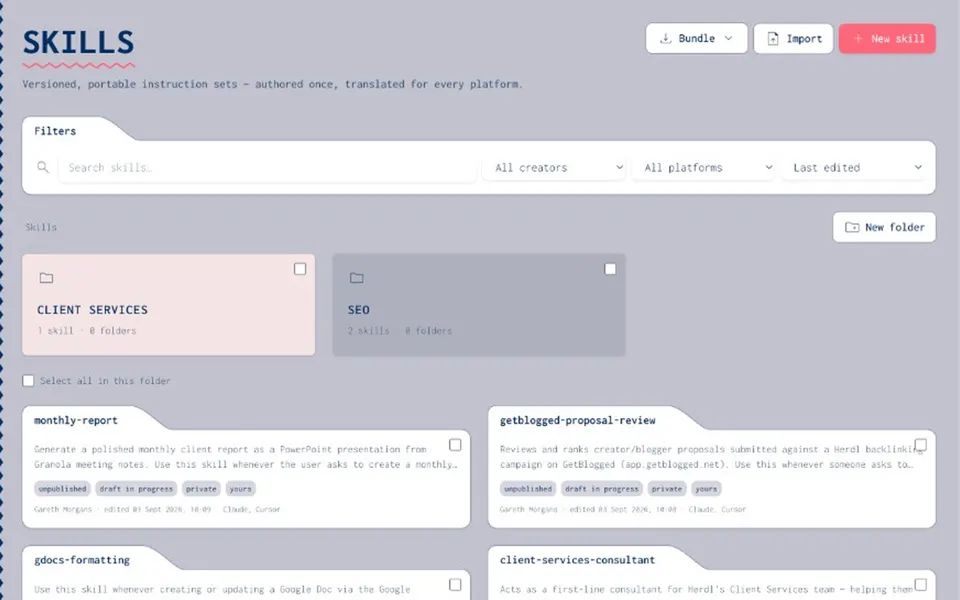
You write a skill for one AI surface, then copy it into another. Forks diverge. Updates land in one place and miss the rest. Joyst gives you one place to manage skills across AI tools — a private skills registry with port, sync, and team share — so Claude, Cursor, and agents are not each a separate source of truth.
THE PROBLEM
Manage skills across AI tools without forks per vendor
- The fork-per-tool problem
Every vendor surface wants skills in its own shape. Teams duplicate. Six months later, “the skill” is four incompatible copies and nobody wants to merge them.
- Updates miss half the team
When skills live in each tool separately, an improvement lands in one place and never reaches the rest. Agents and people keep running stale forks.
- No shared source of truth
Paste and local copies are not a system. Teams that manage skills across AI tools need one private registry — not a fork per vendor.
PORTABLE SKILLS
One registry across surfaces
- Write once, use across tools
Organise skills once in the private registry, then use them across the AI tools your team already works in. Portable AI skills for teams — not a public skills marketplace.
- Port, sync, auto-update
Portability features help skills move and stay current. Sync and auto-update cut the manual “remember to copy this into Cursor” work.
- Agents pick up published updates
When a skill improves in the registry, agents can consume the published version instead of running last month’s fork.
- Private org vault
This is your team’s skills registry — ownership, folders, and permissions — not a browse-and-download marketplace.
CLAUDE AND CURSOR
Manage Claude and Cursor together
- Management and sync — not download
One team registry for management and sync across Claude and Cursor. Not a download site for Claude skills, and not Anthropic’s official UI.
- 2-way MCP push/pull
Where MCP is part of your skill and tool setup, two-way push/pull keeps the catalogue and connected surfaces aligned. Pair with the MCP catalogue when servers are part of the package.
- Tied to version and share
Managing across tools without versioning and sharing leaves ownership unclear. Draft vs published, folders, and permissions so someone owns each skill.
- Agents consume approved skills
Packaged agents consume the skills you approve — keeping agent packages coherent when skills improve.
Skill portability
Skill portabilityManage Claude & Cursor skills
Manage Claude & Cursor skillsMCP catalog
MCP catalogAgents
AgentsAI governance
AI governancePrompt management
Prompt managementManage skills across AI tools FAQ
Yes — as a management and sync job in one team registry. Not a download site for Claude skills, and not Anthropic’s official UI.
No. Private org catalogue to manage, version, and share your skills.
Skills live in your registry and can move or sync across tools — you are not locked into storing them only inside one vendor.
Agents package skills with MCPs and prompts. Managing skills centrally keeps agent packages coherent.
No. Joyst catalogues the AI asset layer (skills, prompts, MCPs, secrets, agents). It sits beside a developer portal, not instead of one.