

RESOURCES
Resources — how-to and what-is guides for Joyst
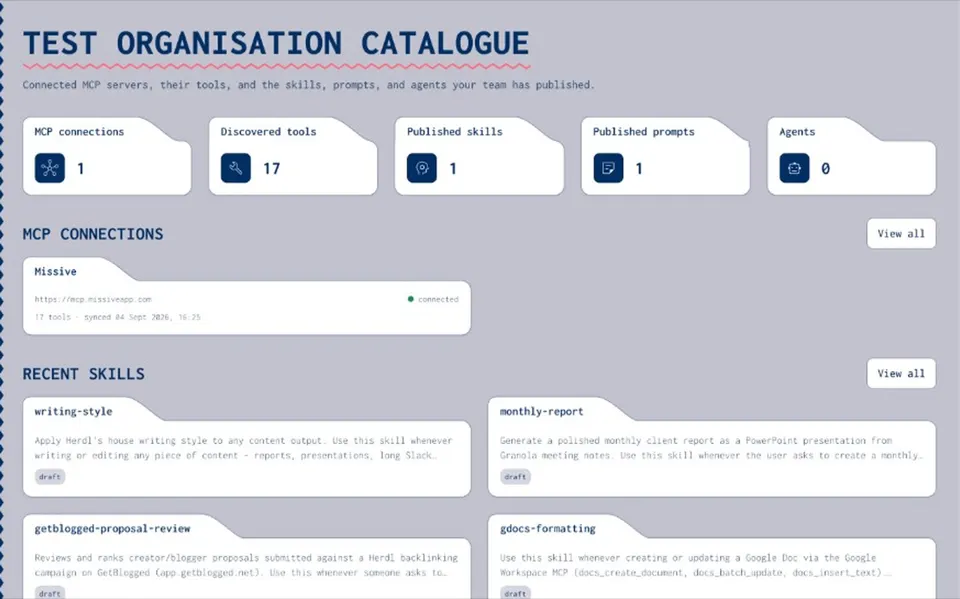
Practical guides for the private team catalogue: prompts, skills, MCPs, secrets, and agents. These pages explain what Joyst is and how to use it — blogs tell the narrative; resources are the working how-to.
START HERE
Pick a path
- Get started
Create your account, understand workspaces, and find where assets live.
- What is Joyst?
Private team catalogue for five asset types — not a marketplace or IDP.
- Problem how-tos
Fix scattered prompts and stop pasting API keys into AI chat.
GUIDES
Start here
- Get started
Create your account, understand workspaces, and find where assets live.
Open - What is Joyst
Private team catalogue for five asset types — not a marketplace or IDP.
Open - Fix prompts scattered across tools
Pull approved prompts into one owned library instead of chat paste.
Open - Stop pasting API keys into AI chat
Put keys in the vault and use controlled substitution.
Open
GUIDE INDEX
How-to and what-is
- Prompts
Create, version, and reuse prompts in the org catalogue.
- Skills registry
What a skills registry is — and how to add and sync skills.
- MCP catalogue
Connect, document, and approve MCP servers for the team.
- Secrets and agents
Vault secrets safely, use controlled substitution, package agents.
HOW-TOS
Practical how-to and what-is
- Create and version a prompt
Write, version, and reuse prompts in the org catalogue.
Open - Add and sync a skill
Add skills to the registry and keep them in sync across tools.
Open - What is a skills registry
How a private skills registry differs from a public skill list.
Open - Connect and document an MCP server
Connect, document, and approve MCP servers for the team.
Open - Sharing — private, group, and org
Share levels for assets in the private catalogue.
Open - Add and use secrets safely
Store keys in the vault and use them without pasting into chat.
Open - How controlled substitution works
Reference secrets so values stay out of model context.
Open - Create an agent package
Assemble skills, MCPs, prompts, and secrets into one setup.
Open
SETUP & ADMIN
Workspace, users, library, and audit
- Create your workspace
Stand up your organisation workspace and get into the catalogue.
Open - Invite users
Add teammates so they can use the private catalogue.
Open - Where is the agent library?
Find the private agent library in Joyst.
Open - Audit trail
See who changed skills, prompts, MCPs, secrets, and agents.
Open
PRODUCT & BLOG
Product pillars and blog
- Prompt management
Team library, versioning, and share levels for prompts.
Open - Skills registry
Manage, version, and port skills across AI tools.
Open - MCP catalog
Connect, document, and approve MCP servers.
Open - Secrets vault
Keys that never enter model context.
Open - Agents
Package skills, prompts, MCPs, and secrets.
Open - AI governance
Permissions and audit across the private catalogue.
Open - Blog
Narrative companions to these how-tos.
Open
Resources FAQ
No. Blogs are narrative. Resources are practical how-to and what-is pages. Cross-link between them.
No. Private organisation catalogue only.
Start free beta at accounts.joyst.app — product at dash.joyst.app.
They cover product truth from the live pillars. UI paths that still need verification are deferred.
Start free — then open the guides you need
Create an organisation account and use the resources hub as your how-to index for prompts, skills, MCPs, secrets, and agents.
- Private org catalogue
- How-to and what-is guides
- Not a marketplace