

WHERE-IS
Audit trail
Find the audit trail under governance, review asset and permission-related activity at a high level, and know where to go next for sharing and governance depth.
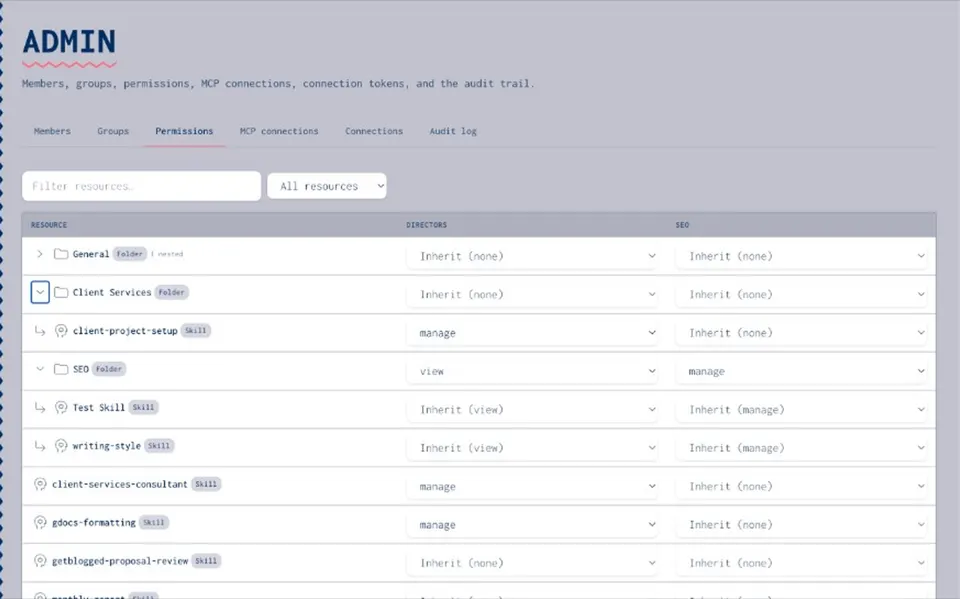
LOCATION
Where the audit trail lives
- Under governance
The audit trail sits under governance in the product — that is the place to look when you need activity history.
- Findability first
This page answers where to find it and how to use it at task level. Commercial governance positioning lives on the AI governance pages.
- Not Settings chrome
Exact labels can differ by release. Look for governance, then the audit trail — do not treat this as a Settings click path.
HOW TO
Find and review the audit trail
- Locate governance
Open governance in the product once you are signed in.
- Open the audit trail
From governance, open the audit trail surface for your organisation.
- Review events
Scan the recorded activity to see what changed — at a high level, asset and permission-related events.
- UI may vary
Button names and panel labels can change by release. Stay with this high-level path rather than inventing control names.
EVENTS
What events appear
- Asset-related activity
Changes tied to catalogue assets — the trail helps you see what happened around skills, prompts, and related items at a high level.
- Permission-related activity
Activity tied to who can view, use, or manage assets. Share-tier how-to detail stays on the sharing and permissions guide.
- High-level only
This page does not list an event schema, retention period, export format, or SIEM integration. Use the trail for findability and review, not as a compliance catalogue.
ACCESS
Who can view
- Authorised members
Organisation admins and other authorised members can view the audit trail when their role allows it.
- Soft framing
Exact role names and seat rules can differ by organisation and release — confirm in your live build rather than treating this page as a permissions matrix.
- Governance next
For the commercial permissions and audit story, use the AI governance deep-dive linked below.
NEXT STEPS
Governance and permissions next
- AI governance
Platform pillar for how Joyst approaches governance of AI assets — not this where-is guide.
AI governance - Permissions and audit trail
Commercial deep-dive on permissions and audit for buyers who need the full story.
Permissions and audit trail - Sharing and permissions
Private, group, and org tiers — view, use, and manage on catalogue assets.
Sharing guide - Resources hub
All how-to and where-is guides for the private catalogue.
Resources - Get started
First-run orientation if you are still setting up the workspace.
Get started - Invite users
Organisation membership when you are ready to bring teammates in.
Invite users
Audit trail FAQ
Under governance in the product. Locate governance, open the audit trail, then review events.
At a high level, asset and permission-related activity. This page does not publish an event schema, retention policy, or export format.
Organisation admins and other authorised members, when their role allows. Exact access rules can vary — confirm in your live organisation.
UI labels may vary by release. This guide stays high-level: locate governance → open audit trail → review events. It does not invent Settings paths or control names.
On AI governance and the permissions and audit trail deep-dive. This page only covers where to find and use the audit trail in the product.
Share tiers (private / group / org and view / use / manage) are documented on the sharing and permissions guide. Permission-related activity may appear in the trail; the how-to for sharing lives there.
Find the audit trail under governance
Locate governance, open the audit trail, and review asset and permission-related activity — then continue into sharing or the governance pillars when you need depth.
- Lives under governance
- Asset and permission-related activity
- UI labels may vary by release