

TEAM PROMPT LIBRARY
A team prompt library you control — not another prompt list
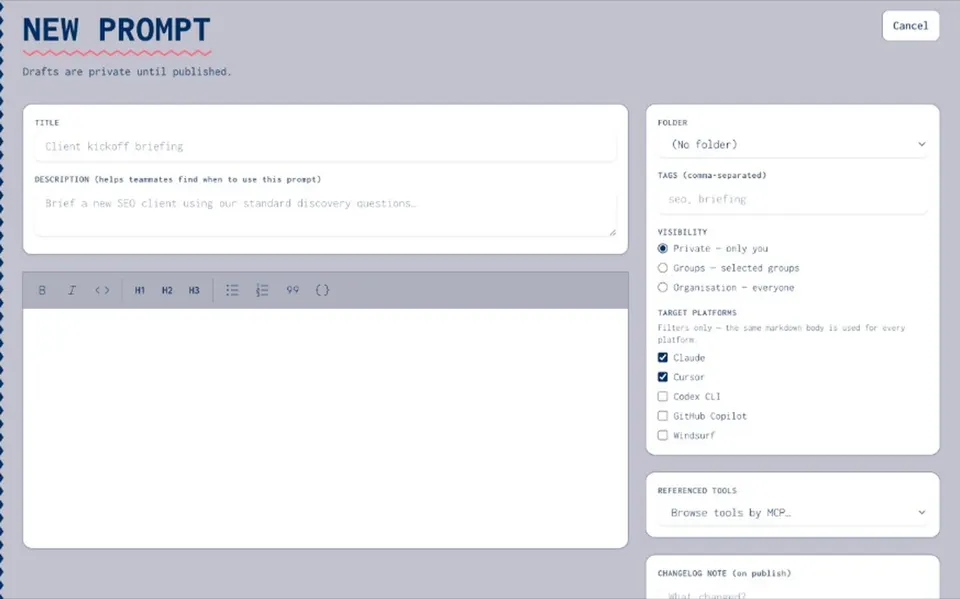
“Prompt library” often means a public page of free prompts. That is not what your team needs when the real prompts are scattered across ChatGPT, Claude, Cursor, and Slack. Joyst’s team prompt library is a shared AI prompt library for your organisation: versioned, permissioned, and private. You own the source of truth.
WHY TEAMS NEED IT
Stop scattering prompts across tools
- Not a public prompt list
Public lists help people collect ideas. A team prompt library gives you approved wording, owners, and reuse — inside your org, not a prompt store or marketplace.
- Fix prompts scattered across tools
When prompts live in five places, nobody knows which version is current. One catalogue, clear ownership, and a path to version control when the wording changes.
- Shared, versioned, permissioned
Share at private, group, or org level. Version with history and rollback. Permission view / use / manage so drafts stay drafts until someone publishes.
WHAT YOU CAN DO
AI prompt library for organisations
- Private org library
Keep prompts in a shared catalogue you control. Strangers do not browse your prompts — this is not a free prompt listicle.
- Owners and folders
Organise the team prompt library so the right people manage each prompt — and everyone else knows where the approved copy lives.
- Reuse in agents and apps
Library prompts feed agent packages and travel across AI apps. Keep secrets in the secrets vault — never embed keys in prompt text.
- Permissions under governance
Tie view / use / manage rights to AI governance when you need audit on who can publish approved prompts.
BESIDE THE LIBRARY
Prompt versioning beside the library
- History, notes, and rollback
When wording changes, keep a change log beside the team prompt library — so drafts stay drafts until someone publishes.
- Publish when the team should switch
Versioning sits under prompt management next to the library. Publish the approved copy; roll back if a change breaks outputs.
- Open prompt versioning
See the dedicated prompt versioning page for draft, publish, and rollback — the sibling job to storing prompts in the library.
Prompt versioning
Prompt versioningPrompt manager
Prompt managerAgents
AgentsSecrets vault
Secrets vaultAI governance
AI governanceBlog: prompts scattered
Blog: prompts scatteredResources: prompts scattered
Resources: prompts scatteredTeam prompt library FAQ
Free lists are public browse content. A team library is private, versioned, and permissioned for your organisation.
People with manage rights on that prompt or folder. View and use can be wider than edit.
No. Private org catalogue only — not a prompt store.
The team prompt library is the shared-library job inside Joyst prompt management. Versioning and reuse sit beside it.
No. Joyst is the private team catalogue for skills, prompts, MCPs, secrets, and agents — beside a developer portal, not instead of one.