

SHARE PROMPTS WITH YOUR TEAM
Share prompts with your team — without pasting into Slack
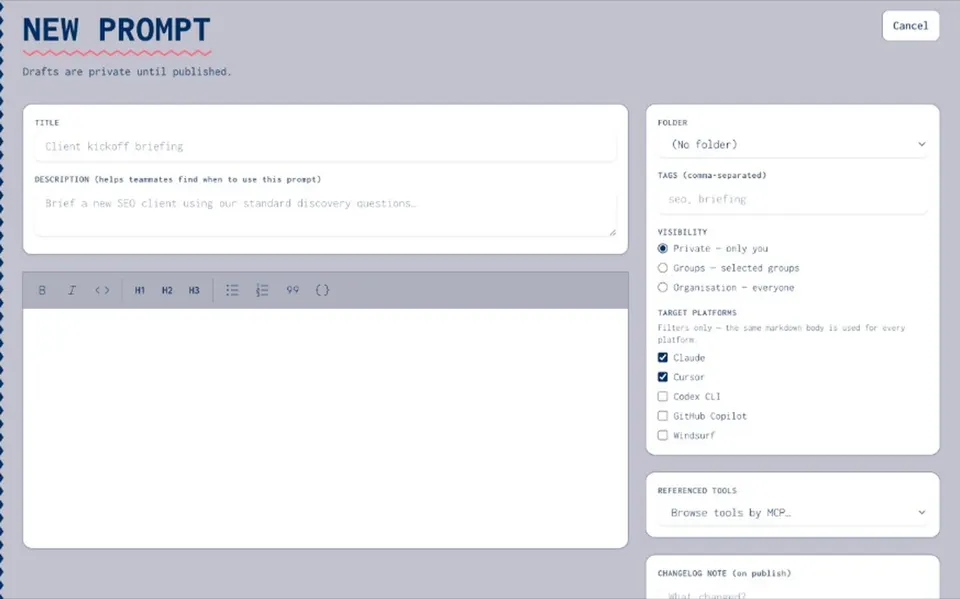
Pasting prompts into Slack works until someone edits a copy, a new hire cannot find the approved version, or a key sneaks into the thread. Joyst gives you private, group, and org prompt sharing with view / use / manage permissions — so onboarding lands on approved prompts, not yesterday's paste.
WHY SLACK PASTE FAILS
Share prompts without Slack-paste archaeology
- Threads scatter and fork
Pasting prompts into Slack works until someone edits a copy. Threads scatter, edits fork, and nobody can prove which wording is approved.
- Keys sneak into chat
Paste sharing invites secrets into the thread. Keep API keys in the secrets vault — never in a shared prompt paste.
- Paste is not a team system
One-off paste is fine. As a way to share prompts with your team, it fails — you need a catalogue with permissions, not yesterday's channel.
WHAT YOU CAN DO
Permissions that match how teams work
- View / use / manage
Widen use without widening edit. Manage rights stay with owners; the rest of the team can still run the approved prompt.
- Tied to the team library
Sharing sits on the team prompt library under prompt management. Versioning keeps history when wording changes.
- Approved set under governance
When security cares who published what, permissions and audit trail live under AI governance.
- Reuse in agents
Shared prompts feed agent packages so setups stay consistent across people and tools.
FOR NEW HIRES
Onboarding onto approved prompts
- Land on the published set
New hires get the published, permissioned prompts — not a scavenger hunt through old Slack channels.
- Clear owners and rights
View / use / manage make it obvious who can change wording and who should just run the approved copy.
- Same prompts in agents
Onboarding sticks when agents and apps consume the same shared prompts the team already uses.
Prompt management
Prompt managementPrompt versioning
Prompt versioningPrompt manager
Prompt managerAI governance
AI governanceAgents
AgentsSecrets vault
Secrets vaultShare prompts with your team FAQ
Share at private, group, or org level from the team prompt library, with view / use / manage permissions.
Yes. Manage rights can stay narrow while view and use are wider.
No. Private org sharing only — not a social prompt network.
New hires land on approved, permissioned prompts instead of searching Slack for the last good paste.
Neither. Joyst is the private team catalogue for skills, prompts, MCPs, secrets, and agents.