

USE CASES
Use cases — how teams use a private AI catalogue
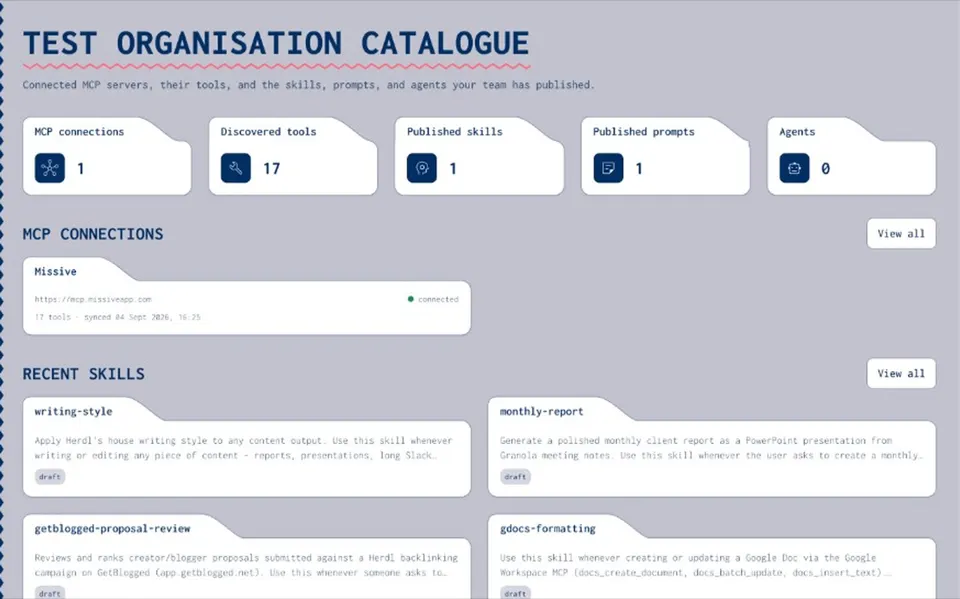
Joyst is the private team catalogue to write, manage, version, and share skills, prompts, MCPs, secrets, and agents across AI tools. These use cases show how platform teams and agencies put that catalogue to work — without turning this hub into a thin doorway farm.
WHO JOYST IS FOR
Teams running AI across tools
- Platform teams
Govern approved skills and private MCP allow-lists beside your developer portal — not instead of it.
- Agencies and multi-client teams
Share skills and prompts across the agency without pasting client secrets into chats.
- Any team with scattered AI assets
If prompts, skills, and MCP connections live in five places, a private catalogue gives you one owned set.
USE CASE
Platform teams
- Approved skills and MCP allow-lists
Publish the skills and MCP servers engineering may use — so installs stop living in personal configs and Slack threads.
- Beside your developer portal
Keep Backstage, Port, or your IDP for software services. Joyst catalogues the AI asset layer next to it.
- Permissions and audit
View / use / manage rights and an audit trail on skills, prompts, MCPs, secrets, and agents — not GRC theatre.
- Govern across tools
One private catalogue across Claude, Cursor, agents, and the MCP servers your platform already allows.
USE CASE
Agencies and multi-client teams
- Shared skills and prompts
Reuse agency playbooks across clients from one private library — without forking every prompt into a chat paste.
- Client-safe secrets
Keep client keys in the secrets vault so agents and packages never drop credentials into model context.
- Multi-client separation
Folders and permissions separate client work while the agency still shares common skills and prompts.
- Agents as packages
Package skills, prompts, MCPs, and secrets per engagement so delivery teams start from approved ingredients.
EXPLORE
Pick a path
- Platform teams spoke
Approved skills, MCP allow-lists, and permissions for engineering ops — open in the section below.
- Agencies spoke
Shared libraries plus client-safe secrets — open in the section below.
- Product pillars
Prompt management, skills registry, MCP catalogue, AI governance, secrets vault, and agents.
- Pricing
Start free in beta — see pricing for seat details.
EXPLORE
Pick a path / explore pillars
- Platform teams
Govern skills and MCPs beside your developer portal.
Open - Agencies and multi-client
Shared libraries with client-safe secrets.
Open - Prompt management
Team library, versioning, and sharing.
Open - Skills registry
Manage, version, and port skills.
Open - MCP catalog
Connect, document, and approve servers.
Open - AI governance
Permissions and audit across the catalogue.
Open - Secrets vault
Keys that stay out of model context.
Open - Agents
Package skills, prompts, MCPs, and secrets.
Open - Pricing
Limited open beta — free up to 20 users.
Open
Use cases FAQ
Teams that need a private catalogue for skills, prompts, MCPs, secrets, and agents across AI tools — especially platform teams and agencies.
No. Private org catalogue only.
No. It sits beside your developer portal as the AI asset layer.
Pick the use case that matches your team, or start with the prompt management or skills registry pillar.
Start free — or pick your use case
Create an organisation account and put skills, prompts, MCPs, secrets, and agents in one private catalogue.
- Private org catalogue
- Platform teams and agencies
- Not a marketplace or IDP