

SECRETS VAULT
Secrets vault for AI — keys that never enter model context
Pasting API keys into ChatGPT, Claude, or agent chats does not scale. Once a key is in the prompt, it is in model context — logged, remembered in history, and easy to leak. Joyst’s secrets vault stores secrets encrypted and injects them with controlled substitution so keys stay out of the model’s view.
BUILT FOR AI WORKFLOWS
Stop pasting API keys into AI chat
- Keys in chat history
Once a key is in ChatGPT, Claude, or an agent chat, it is in model context — logged, remembered in history, and easy to leak in screenshots.
- Slack and prompt paste habits
Teams share keys in Slack, drop them into system prompts, and hope nobody copies the wrong channel. That fails audits.
- API key management for AI
Agents and tools need the credential when required — without the model reading the raw secret. Pasting into chat is not that pattern.
THE DIFFERENTIATOR
Controlled substitution
- Vault holds the value
The vault stores the secret. Your workflow references it by name — not by pasting the raw key into prompts or agent definitions.
- Substitute without model context
Substitution happens so the agent or tool can authenticate — without putting the key into the prompt the model sees.
- Keys never enter model context
Controlled substitution is how Joyst keeps API keys out of model context for AI workflows and agent setups.
PRIVATE BY DEFAULT
Encrypted vault, private by default
- Stored encrypted
Secrets are stored encrypted in the private vault — not in chat sidebars, Slack threads, or prompt bodies.
- Use vs view vs manage
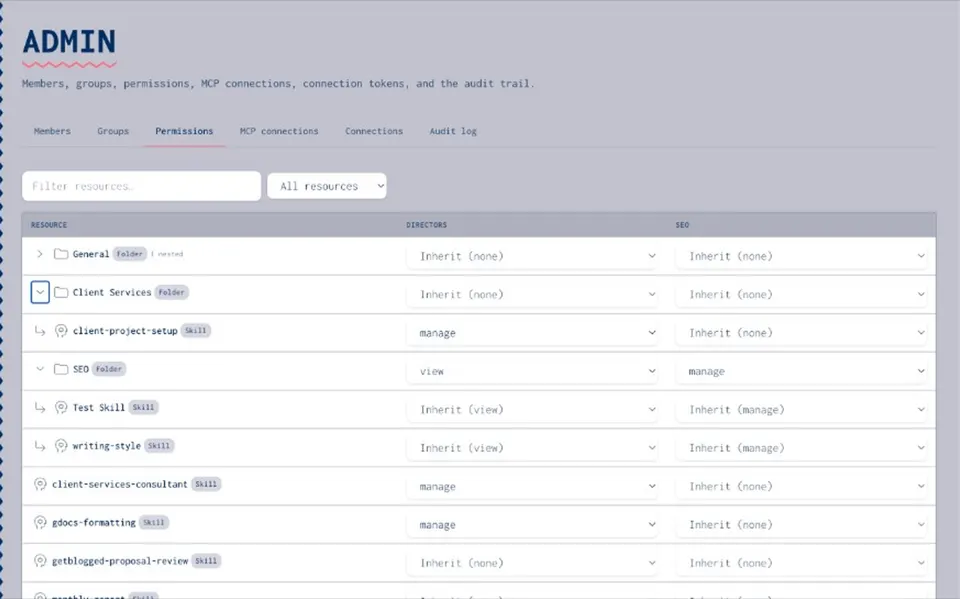
Who can use a secret in a workflow is not the same as who can view or manage it. Access follows the same org thinking as the rest of Joyst.
- Beside AI governance
Pair vault permissions with AI governance when security buyers need the full permissions and audit picture across the private catalogue.
IN PACKAGES
Secrets inside agents and MCP setups
- Agents by reference
Package agents with secrets by reference — not by pasting values into the agent definition.
- MCP tool credentials
Connect MCP tools through the vault instead of embedding keys in chat or skill text.
- Clean prompts
Keep prompt bodies free of credentials. Prompt management stays usable; the vault holds the keys.
POSITIONING
What Joyst is not
- Not AWS Secrets Manager
Joyst is not an infrastructure secrets manager for cluster credentials, database passwords, and CI secrets. Keep those in AWS Secrets Manager where they belong.
- Not HashiCorp Vault replacement
We do not replace HashiCorp Vault for infra. Joyst sits beside your existing secrets stack for AI workflows.
- Beside them for AI workflows
Joyst is the AI-workflow vault: secrets for agents and AI tools, with controlled substitution. Infra secrets stay where they are; AI workflow secrets stay out of chat.
AI governance
AI governancePrompt management
Prompt managementMCP catalog
MCP catalogSkills registry
Skills registryStop pasting API keys
Stop pasting API keysControlled substitution
Controlled substitutionAdd and use secrets
Add and use secretsSecrets vault FAQ
Once a key is in the prompt, it can enter model context, chat history and logs — and leak via screenshots. That fails audits and doesn’t scale.
Not a replacement for AWS Secrets Manager or HashiCorp Vault for infrastructure and CI secrets. It’s the vault for AI workflow credentials beside that stack.