

HOW-TO
How to fix prompts scattered across tools
When working copies live in ChatGPT, Claude, Cursor, and Slack, nobody knows which wording is current. This how-to moves the prompts that matter into a private team library — with owners, versions, and share tiers.
WHY IT MATTERS
Scatter has a cost
- Drift
Five copies mean five tones. Quality depends on which tool someone opened.
- Onboarding
New starters ask around and get five answers.
- No rollback
You cannot roll back a change you never recorded.
HOW TO
Fix prompts scattered across tools — inventory to reuse
- Inventory
List the prompts that affect clients, brand, or compliance — ignore one-off experiments.
- Create
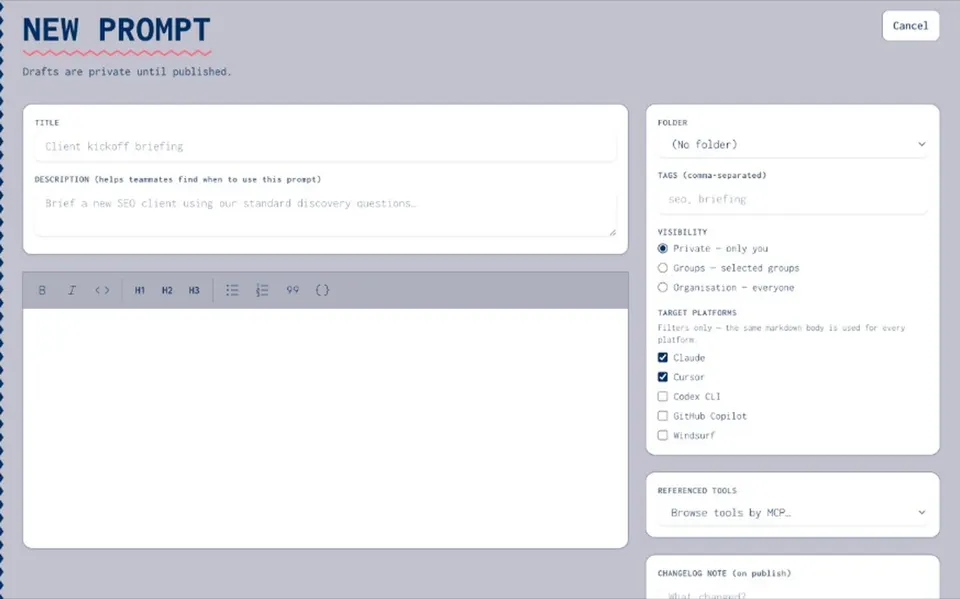
Add each working copy to your org catalogue with an owner and folder.
- Version
Publish the approved wording; note why it changed when you revise.
- Share
Set private, group, or org visibility with view / use / manage rights.
- Reuse
Point agents and teammates at the catalogue — keep using ChatGPT and Claude as runtimes.
WHAT YOU GET
Team library, not another doc dump
- Draft and publish
Editing a published prompt opens a draft. Nothing reaches the team until you publish.
- Share tiers
Private, group, or organisation — with permissions that scale.
- Agent reuse
Reference approved prompts inside agent packages.
- Keys stay out
Do not paste API keys into prompt text — use the secrets vault.
Resources hub
Resources hubPrompt management
Prompt managementHow to create and version a prompt
How to create and version a promptTeam prompt library
Team prompt libraryPrompt versioning
Prompt versioningScattered prompts blog
Scattered prompts blogSecrets vault
Secrets vaultScattered prompts FAQ
No. The blog tells the problem story. This page is the practical how-to. Read both: /blog/prompts-scattered-across-tools.
No. Joyst is the catalogue and source of truth. Teams still run prompts in the tools they already use.
No. You get draft/publish, version history, share tiers, and reuse into agents.