

WHAT-IS
What is a skills registry?
A skills registry is where your organisation publishes skills for the team to use, with owners, versions and permissions. Joyst is a private skills registry. Write a skill once, manage it across AI tools and share it without keeping a separate copy for each vendor.
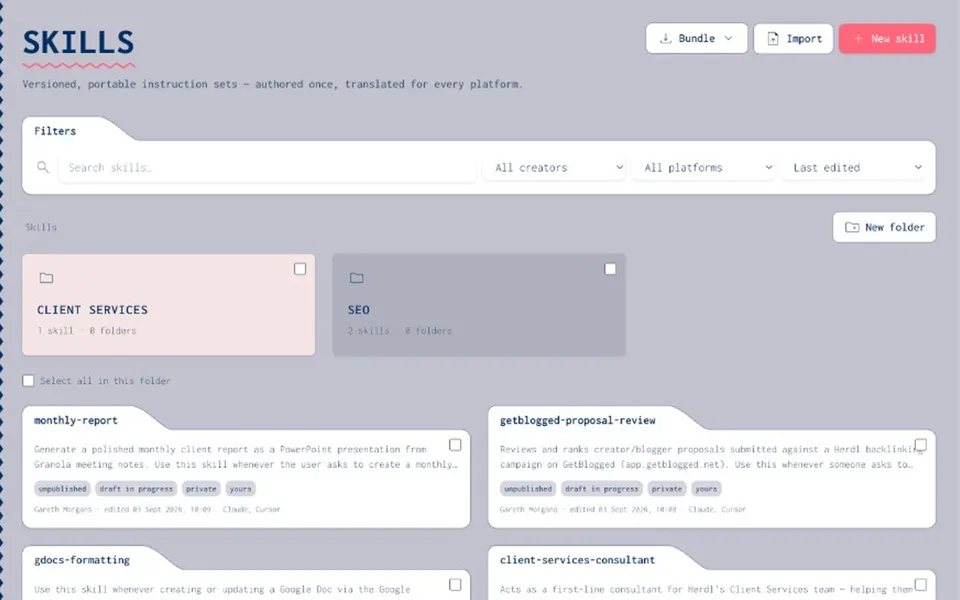
HOW IT WORKS
Publish, then use.
- Publish
Each skill has an owner, who drafts it and publishes the approved version.
- Use
The team uses the published version, not an old copy on someone’s laptop.
- Govern
Permissions decide who can edit, who can publish and who can only use.
PRIVATE VS MARKETPLACE
Same word, different job
- Private registry
Your organisation’s skills, owned and versioned for your tools and clients.
- Public marketplace
Skill packs published by others. Useful for discovery, but they do not give your organisation control.
- Joyst
Private only. Joyst does not sell third-party skills.
- Across tools
One registry serves Claude, Cursor and your agents, so you do not keep separate copies for each.
IN JOYST
From write to package
- Write
Author skills in your private registry.
- Version
Keep drafts and published versions apart, each with a clear owner.
- Share
Use folders, tags and visibility settings to reach the right groups.
- Port
Translate and sync skills so you are not tied to one vendor.
RELATED
Keep exploring.
- Resources hub
Practical guides to setting up and using Joyst.
Open - Skills registry
Manage, version and move skills across AI tools.
Open - How to add and sync a skill
Add skills to the registry and keep them in step.
Open - Manage skills across AI tools
One registry across Claude, Cursor and agents.
Open - Version and share skills
Draft, publish, assign owners and share with the team.
Open - Skill portability
Sync and move skills without a copy for each vendor.
Open - Get started
A first look at your organisation’s workspace.
Open - Manage skills across Claude and Cursor
Manage skills across Claude and Cursor as a team.
Open
Skills registry FAQ
No. Skills are portable instructions, often with versions for each platform. Prompts are reusable wording. Joyst catalogues both.
Not to keep control. Publish skills internally and use the approved versions.
Yes. Manage and move them from one registry rather than keeping separate copies.
Run a private skills registry for your team
Create an organisation account and bring skills, prompts, MCP servers, secrets and agents into one private catalogue.
- Private to your organisation
- Draft, then publish
- Limited open beta