

HOW-TO
MCP OAuth: how to connect an MCP server securely
MCP OAuth is how an AI tool signs you in to a remote MCP server without sharing a password or a long-lived key. This guide walks through the flow step by step, compares OAuth with API keys, covers the common errors and shows how to keep your team’s servers on one approved list.
What is MCP OAuth?
MCP OAuth is the authorisation method the Model Context Protocol specification defines for servers reached over HTTP. It is based on OAuth 2.1, the same standard behind "Sign in with" buttons across the web. People often call this MCP authentication. Strictly, OAuth handles authorisation: signing in proves who you are, and the token says what your AI tool may do. Three parties take part. The MCP server holds the tools and acts as the protected resource. The MCP client is your AI tool, such as Claude, Cursor or VS Code. The authorisation server signs you in and issues access tokens. It can be run by the same company as the MCP server or by a separate identity provider. Authorisation is optional in the specification. When an HTTP server uses it, it should follow this flow. Local servers that run over standard input and output should not use it, and take their credentials from the environment instead.
How the MCP OAuth flow works, step by step
1. Your AI tool calls the MCP server without a token. 2. The server replies 401 Unauthorized, with a WWW-Authenticate header pointing to its protected resource metadata. 3. The client reads that metadata (RFC 9728) to find which authorisation server to use and which scopes the server expects. 4. The client fetches the authorisation server’s metadata (RFC 8414 or OpenID Connect Discovery) to find its sign-in and token endpoints. 5. The client gets a client ID. The current specification prefers Client ID Metadata Documents, where the client ID is an HTTPS URL describing the client. A pre-registered client ID also works. 6. The client opens your browser at the sign-in page, with a PKCE code challenge and a resource parameter (RFC 8707) naming the exact MCP server. 7. You sign in and approve the requested access. The browser returns to your AI tool with an authorisation code. 8. The client checks the response came from the expected authorisation server, then swaps the code, the PKCE verifier and the resource parameter for an access token, and sometimes a refresh token. 9. Every MCP request now carries the token in an Authorization: Bearer header. Tokens never go in the URL. 10. The MCP server checks that the token was issued for it, and rejects tokens meant for anything else. A note on the current specification: the 2026-07-28 revision deprecates Dynamic Client Registration (RFC 7591) in favour of Client ID Metadata Documents. Clients and authorisation servers may still support it for backwards compatibility. Source: modelcontextprotocol.io, Authorization and Deprecated Features.
COMPARISON
OAuth vs API keys for MCP servers
- Who it acts for
An OAuth token acts for one person, with the access they approved. An API key acts for whoever holds it.
- Scope
OAuth requests named scopes, and servers can ask for more when a tool needs it. A key usually has fixed access set when it was created.
- Lifetime
Access tokens are short-lived and can be refreshed. Keys often last until someone rotates them by hand.
- Revocation
Disconnect the app or remove the grant with the provider to cut off one person. Revoking a shared key breaks it for everyone using it.
- When a key is fine
Internal servers, service accounts and servers that do not support OAuth. Store the key in a vault, not in a config file or a chat.
Local servers: where credentials live instead
A local MCP server runs on your machine over standard input and output, so the OAuth flow does not apply. The MCP specification says these servers should take credentials from the environment. In practice, that means an environment variable set in your AI tool’s MCP configuration, such as an "env" block in mcp.json, or an environment file the tool loads. Keep those values out of files you commit to git. Where your tool supports it, reference an environment variable rather than typing the key into the config itself.
TROUBLESHOOTING
Common MCP OAuth errors and fixes
- "Failed to discover OAuth metadata"
The client could not find the server’s protected resource metadata or the authorisation server’s metadata. Check that the server returns a WWW-Authenticate header on 401 and serves /.well-known/oauth-protected-resource, and that the authorisation server publishes its metadata.
- Client registration fails
The authorisation server does not support dynamic registration. Use a pre-registered OAuth client ID. Claude accepts one under Advanced settings, and Cursor accepts one in an auth block in mcp.json.
- Redirect URI mismatch
The provider only accepts callback URLs it knows. Register your AI tool’s callback URL with the provider, for example the fixed URLs Cursor documents.
- 401 straight after sign-in
The token was issued for a different resource. Check the resource parameter matches the server’s canonical URL, including the path.
- 403 insufficient_scope
The token is valid but lacks a scope for this tool. Sign in again and approve the extra scope the server asks for.
- Resource parameter rejected
Some identity providers do not accept the resource parameter. Check your provider’s documentation. The mcp-remote bridge has an option to leave it out.
FOR YOUR TEAM
Connect an OAuth MCP server to your team catalogue
- Register the server
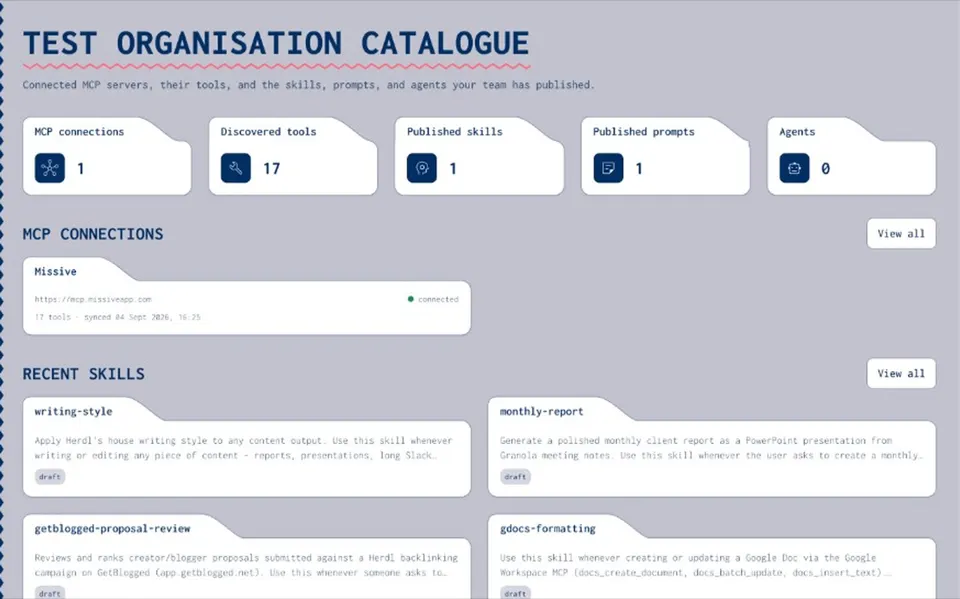
Add the MCP server to your organisation’s private Joyst catalogue and connect it with OAuth where the server supports it, or with static auth.
- Import its tools
Joyst runs tools/list and imports every tool with its schema, then keeps the list current with scheduled or on-demand sync.
- Write down how it signs in
Add notes on which scopes people should approve and what each tool does, so everyone connects the same way.
- Each person signs in
Team members connect the server in their own AI tool and sign in with their own account. Joyst does not broker that sign-in or pass tokens to agents.
- A record of who connected it
The audit trail shows who connected, published or changed each server.
WITHOUT OAUTH
Keep static keys out of chat: the vault for servers without OAuth
- Store the key in the vault
Secrets are encrypted and private by default. Share one with the organisation only when everyone should use it.
- Refer to it by name
Agent packages list the names of the secrets they need, never the values.
- Controlled substitution
For authorised HTTP calls, Joyst inserts the value on its own server when the call is made. It is designed to keep the key out of the prompt the model sees.
RELATED
Keep exploring.
- Remote MCP server
Connect a remote server to Claude, Cursor and VS Code.
Open - How to connect an MCP server
Connect, document and approve servers for your team.
Open - Secrets vault
Keep static keys out of chat and config files.
Open - Controlled substitution
Use vault secrets by name. Designed to keep keys out of the model’s context.
Open - Permissions and audit trail
Who can see, use and change each server.
Open - MCP security
The risks worth knowing, and the controls that help.
Open
MCP OAuth FAQ
Yes, for servers reached over HTTP. The MCP specification defines an OAuth 2.1 flow with PKCE, protected resource metadata and resource indicators. It is optional, and local servers use environment credentials instead.
The server answers an unauthenticated call with a 401 that points to its metadata. The client finds the authorisation server, signs you in through your browser, gets a token issued for that server and sends it with every request.
No. Authorisation is optional in the specification. Many hosted servers use OAuth, some accept an API key and some public servers need no sign-in.
An OAuth token acts for one person, with approved scopes and a short lifetime. An API key acts for whoever holds it until someone rotates it.
Check the server returns a WWW-Authenticate header on 401 and serves /.well-known/oauth-protected-resource, and that its authorisation server publishes metadata. Then check the URL you entered, including the /mcp path.
It depends on the client. Claude holds custom connector sign-ins with your Claude account, mcp-remote keeps tokens in ~/.mcp-auth on your machine, and local servers read keys from environment variables. Keep any static keys your team shares in a vault, not in chat or committed config files.
Keep your team’s MCP servers on one approved list.
Create an organisation account and bring skills, prompts, MCP servers, secrets and agents into one private catalogue.
- Private to your organisation
- Draft, then publish
- Limited open beta